Follow the instructions on the screen.
Note: Use ONLY the USB cable supplied with your device. Other USB cables may not work.
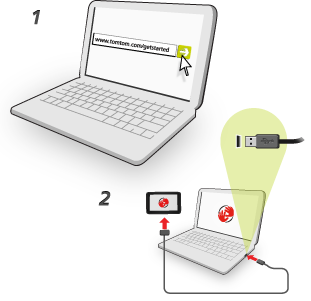
Note: You should plug the USB cable directly into a USB port on your computer and not into a USB hub or USB port on a keyboard or monitor.
When set-up is complete, a MyTomTom account is created and your navigation device is linked to that account.
You can now access MyDrive Connect from the notification area on your desktop.

MyDrive starts automatically after the account is created.
Note: Next time you want to access MyDrive, go to tomtom.com/mydrive in a web browser.
Tip: When you connect your navigation device to your computer, MyDrive Connect tells you if there are any updates for your device.