
Tip: Your device has either Navigate to or Drive to on the button in the Main Menu. When planning a route to an address using speech, say "Navigate to address" if the button shows Navigate to or "Drive to address" if the button shows Drive to.
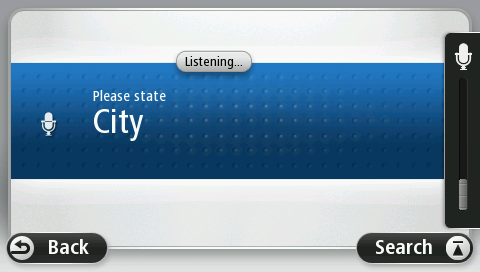
Your device shows a list of towns which sound similar to what you said and tells you which town is at the top of the list.
If the town you hear is the same as the town you requested then say, "Done" or "OK" or "Yes" or "One" or tap the town at the top of the list.
If the town you hear is incorrect, but the correct town is in the list, say the number next to the correct town or tap the name of the town.
For example, if the correct city is Rotterdam and this is shown as the third item in the list, you can say, "Three" or tap the name, Rotterdam.
If the name is not in the list, say "Back" or "No" or tap Back to return to the previous screen and say the town again when you hear the beep.
Your device shows a list of street names which sound similar to what you said and tells you which street name is at the top of the list.
If the street name you hear is the same as the street name you requested then say, "Done" or "OK" or "Yes" or "One" or tap the street name at the top of the list.
Tip: Different locations may have the same name, such as a road that spans multiple zip codes. When this happens you need to look at the screen and tap the correct location.
If the street name you hear is incorrect, but the correct street name is in the list, say the number next to the correct street name or tap the street name in the list.
If the street name is not shown in the list, say "Back" or "No" or tap Back to return to the previous screen and then say the street name again when you hear the beep.
Important: Numbers must be spoken in the same language as the button names and menus on your device.

Numbers should be pronounced in the same way you normally say a number, in one continuous sentence. So 357 is pronounced, "Three hundred and fifty seven."
If the number is shown correctly then say, "Done" or "OK" or tap the keyboard to enter the number.
If the number is shown incorrectly then say, "Back" or "No" or tap the Backspace key and repeat the number.
Tip: If you say, "Back" when there are no numbers on the screen, your device will return you to the previous screen.
When the number is shown correctly say, "Done" or "OK." Alternatively, enter the number by tapping the screen.