Moving around the Goals screen
Note: This is just one example of a tab in the TomTom Sports App. You can use similar gestures to explore other tabs.
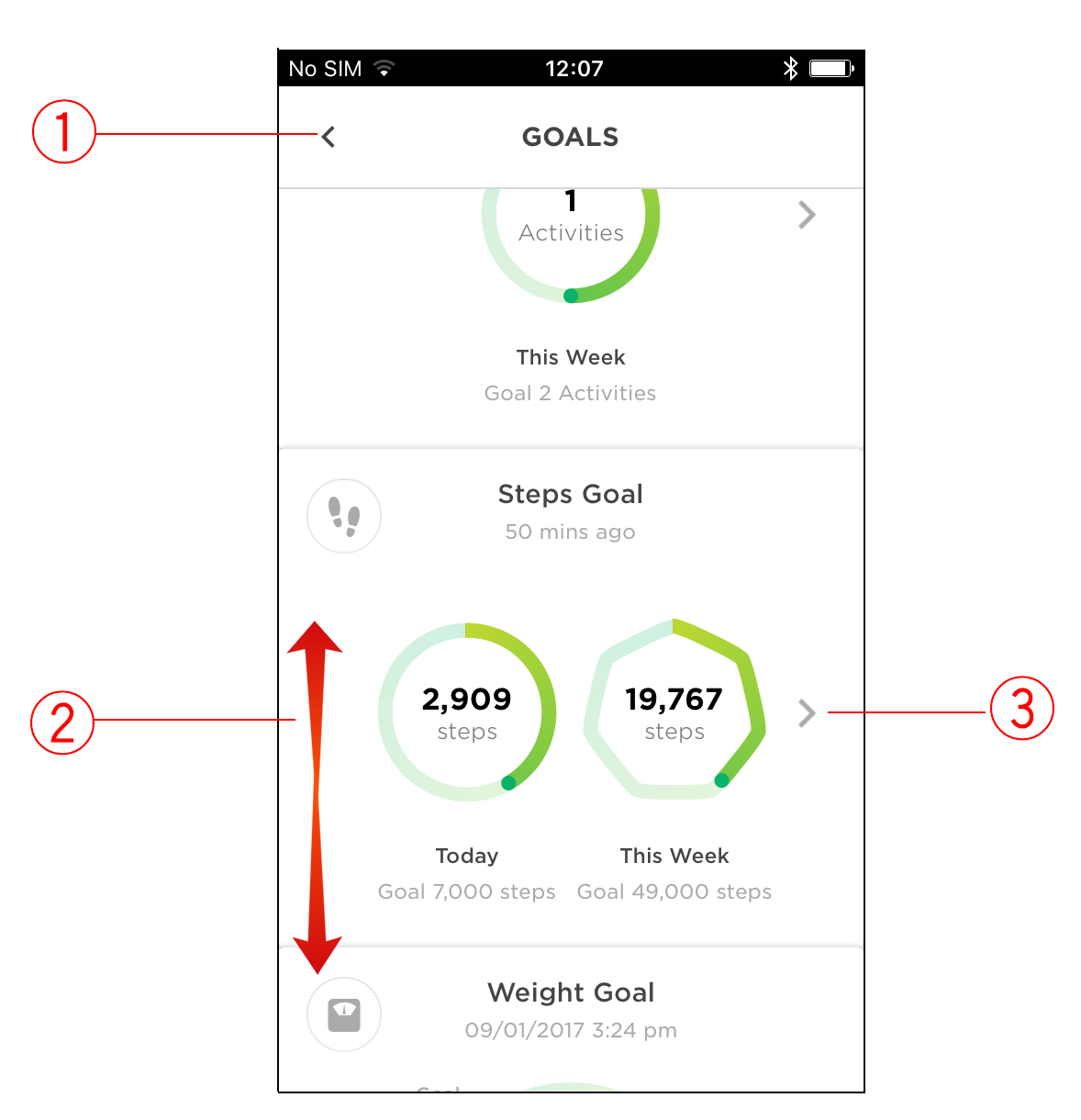
- Tap the arrow at the top left to go back to the previous screen.
- Swipe up or down to scroll quickly. Touch, hold and drag to scroll slowly.
- Tap to open the details page for that goal.
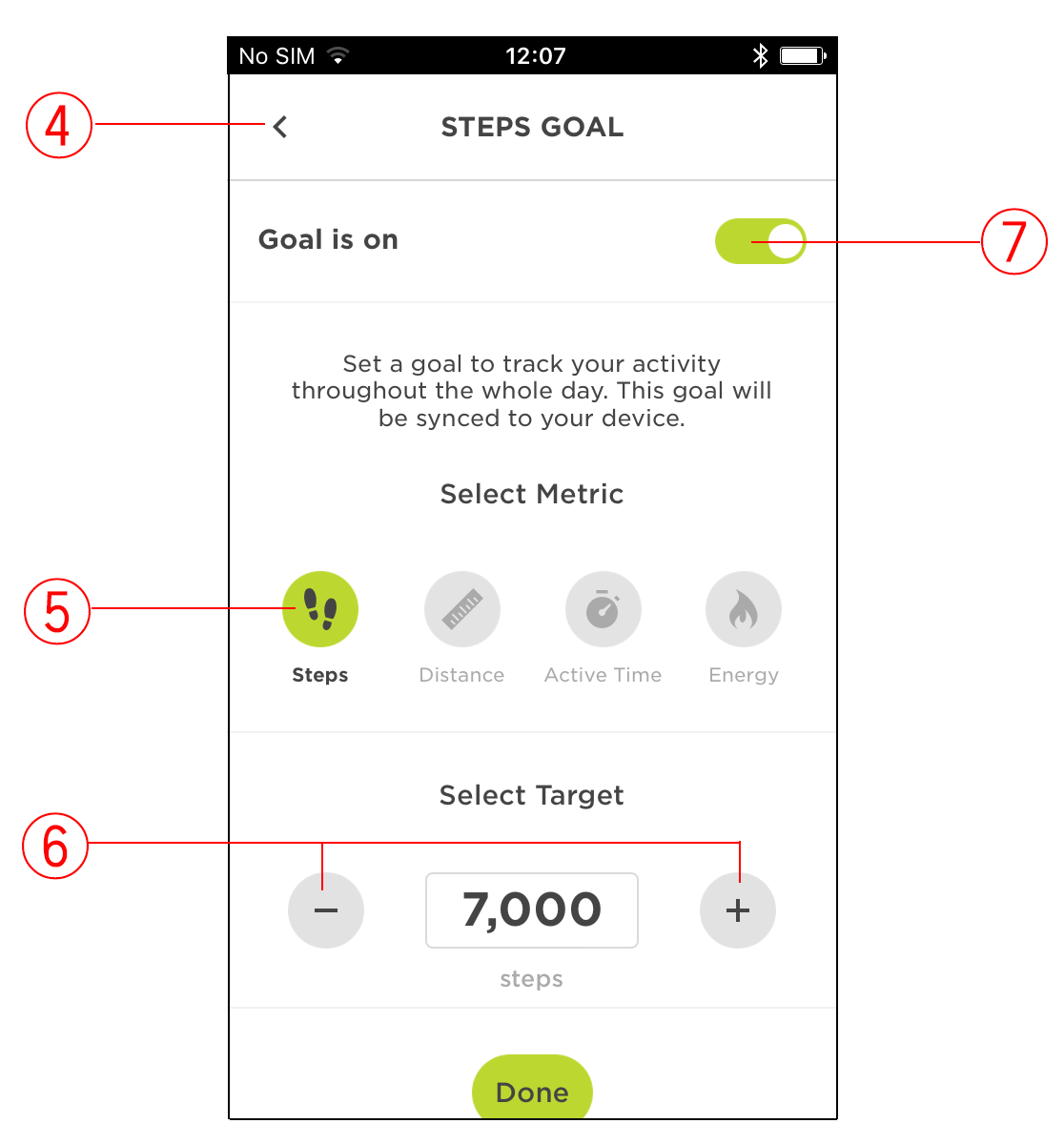
- Tap the arrow at the top left to go back to the previous screen.
- Tap a metric to change it. The selected metric is shown in green.
- Tap the minus and plus buttons to reduce or increase your metric values respectively.
- Tap to switch the goal on and off. After tapping wait a minute for the app to update.