Follow the instructions given by your Taxi Assistant to navigate to the drop-off location.
The information panel
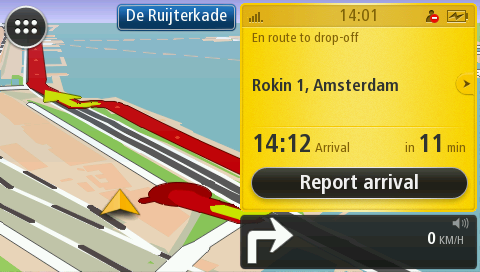
In the information panel you can see the status of the order, for example En route to drop-off, the name of the customer or venue, and the address (street and city) of the drop-off location.
Customer and order details
To see detailed information about the customer and order, tap the ‘arrow’ button next to the customer's name.
Estimated arrival time
Below the address you can see the estimated arrival time and the time in minutes that it will take you to arrive at the drop-off location.
On arrival
Tap the Report arrival button when you have reached the drop-off location. If you are at a location that is different from the drop-off location sent to your Taxi Assistant but you know you have arrived, tap Report arrival.
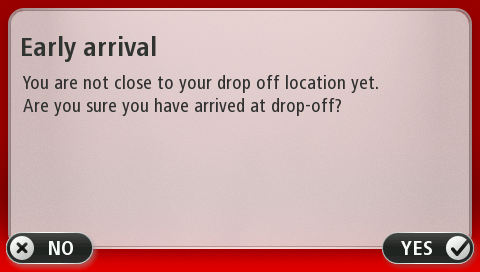
Early arrival
If you tap the Report arrival button when you are not near the drop-off location, the Early arrival screen is shown. Tap Yes if you are sure you have arrived. Tap No if you want to continue to navigate to your drop-off location.